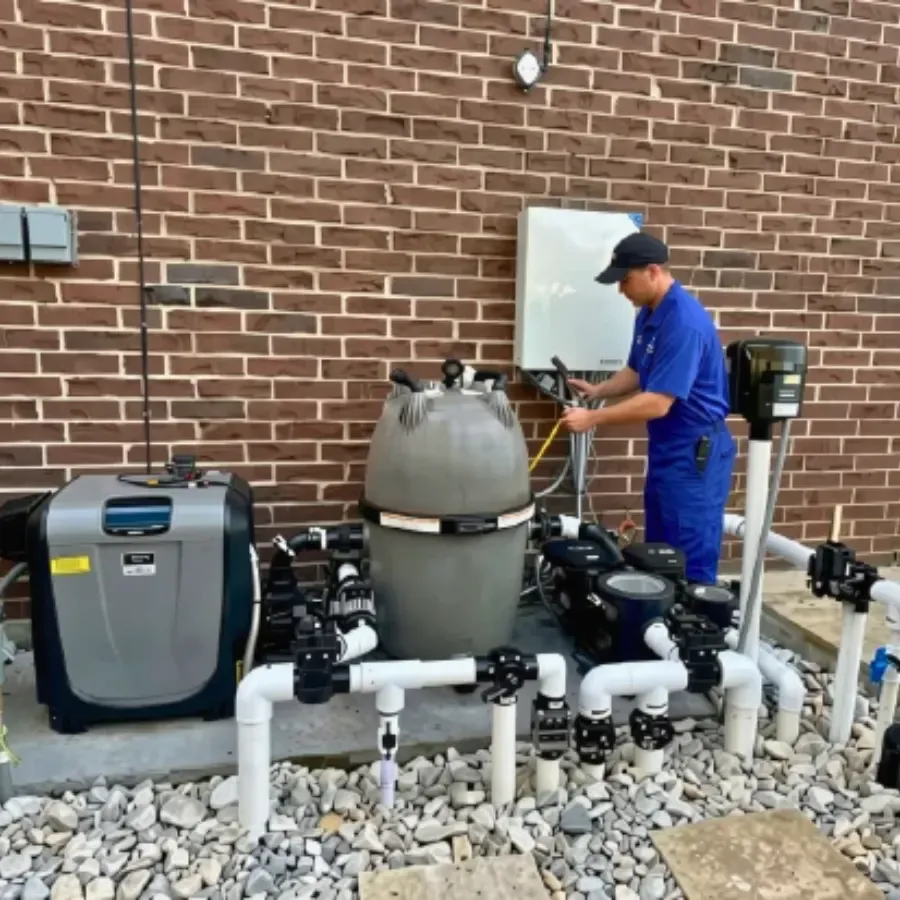
Pool automation is the brain of the equipment pad. It decides when the pump runs, when the lights come on and how the heater, salt system and water features behave. A good system saves you trips to the pad. A poor fit becomes a daily annoyance.
This guide compares three big names: Pentair, Jandy and Hayward. We read each maker’s own product page. We make no ranking claim. Each system suits some pools better than others, and the facts below come straight from the makers. Features change by model and year, so confirm details with a dealer before you buy.
What is pool automation, and what does it control?
Pool automation is a control system that runs your pool equipment from one place. You set schedules and modes, then control them from a panel, a remote or a phone app.
A pool automation system has a few core parts:
- A control panel or touchscreen where you set schedules.
- A power center that holds the relays and switches the equipment.
- Sensors, such as water temperature.
- An app or web link for remote control.
Typical devices include pumps, lights, water features, valves and often the heater and salt system. What a given system can run depends on its relay count and on how your equipment connects. Marina Pool Services lists automation installation, smart control setup and service, and equipment scheduling and control on its pool automation page.
What is a relay, and why does the count matter?
A relay is a switch that turns one device on or off. Each device you want to switch needs a relay or another way to connect. If you run out of relays, you cannot add that new device without an expansion.
This is why each maker lists a relay count. A small pool with one pump, one light and a heater needs few. A pool with a spa, a waterfall, several lights and a booster pump for a cleaner needs more. Plan for what you have now and what you may add.
How do Pentair, Jandy and Hayward systems compare?
All three offer app control and expandable hardware. They differ in the names, relay counts and extras the makers list. The table uses only what each maker’s page states, so some cells say “not stated on the page we read.”
| Feature | Pentair IntelliCenter | Jandy AquaLink RS | Hayward OmniLogic |
|---|---|---|---|
| Phone app | Pentair Pool app | iAquaLink app | OmniLogic app |
| Relays (as listed) | Load center models list 5, expandable to 10 | Kits list varying numbers of 3HP relays, for example 6 | 4 relays, expandable to 20 with add-ons |
| Panel or screen | Color touchscreen with setup wizard | Several panels, remotes and a handheld wireless remote | Described as controlling the whole pad from the app |
| Voice control | Not stated on the page we read | Not stated on the page we read | Works with voice systems like Amazon Alexa |
| Home automation | Not stated on the page we read | Stated as fully integratable | Not stated on the page we read |
| Energy features | Not stated on the page we read | Seasonal adjust modifies schedules through the year | Automatic Cover Scale-Back Mode |
| Pump control | Centralized control of pumps, lights and water features | Automate filtration, sanitation and cleaning | Up to 16 variable-speed pumps without relays |
| Dealer tools | Dealers can proactively monitor the pool | Not stated on the page we read | Not stated on the page we read |
A blank in this table does not mean a missing feature. It means the page we opened did not say. Always ask a dealer for the full spec sheet on the exact model.
What does Pentair say about IntelliCenter?
Pentair calls IntelliCenter its most versatile automation system and says it is easily expandable. The page lists centralized control of multiple pool devices, from water features to lights to pumps. It describes a color touchscreen, a setup wizard with on-screen steps and easy control from anywhere with the Pentair Pool app. Some load center models include two valve actuators and a salt chlorine generator transformer.
Pentair also says dealers can proactively monitor the pool, which it ties to remote service.
What does Jandy say about AquaLink?
Jandy says AquaLink RS lets you control individual pool and spa functions, lighting and water features. It lists one-touch macros, a patented seasonal adjust technology that modifies schedules through the year for energy savings, and control from a phone or tablet with the iAquaLink app. Jandy also says the system is fully integratable with home automation systems.
The same page describes all-in-one kits that include the system board, sensors, relays and a web-connect device. Spa-side and in-house remotes are sold separately. Jandy also lists a PDA system with a wireless handheld remote and a TCX system for turning an existing pool into a smart pool.
What does Hayward say about OmniLogic?
Hayward says OmniLogic comes with 4 relays and can grow to 20 using add-on parts. It can control up to 16 variable-speed pumps without using relays. An Automatic Cover Scale-Back Mode adjusts pump, chlorinator and heating settings to save energy when an electronic pool cover is closed.
The page says the OmniLogic app handles schedules, themes and monitoring. It works with voice systems like Amazon Alexa. ColorLogic LED lighting and water features can pair with it for color and dimming options. Hayward also says the system is designed to be salt-ready.
What should you ask before you choose a system?
Start with your pool pad, not the brochure. The right questions narrow the choice fast.
- What equipment do I have? List your pump, heater, lights, salt system and valves, with brands and models.
- What must it control? Write a short must-have list. A spa, a waterfall or a second pump changes the relay count.
- How do I want to control it? A wall panel, a handheld remote, a phone app or voice control each suit different people.
- Who will service it? Pick a system your local pro knows well. Ask who handles setup and troubleshooting.
- Will it grow with me? Check how the maker adds relays or devices later.
- What is the home network like at the pad? App control needs a signal. Weak Wi-Fi at the back fence is a common snag.
Marina Pool Services states that it services and installs Hayward, Pentair, Jandy and Raypak equipment, so it can look at your pad whichever brand you lean toward.
Can you upgrade an older pool to automation?
Often you can. Pentair sells an IntelliCenter upgrade kit for EasyTouch and IntelliTouch systems. Jandy describes TCX as a way to turn an existing pool into a smart pool. Whether a particular upgrade works for you depends on your current equipment, wiring and power center.
A pro should check four things first: the age of the pad, the type of pump, the heater controls and the available space for a new power center. If you are also weighing a new pump, read our pool pump buyer’s guide. For heater controls, see the pool heater buyer’s guide.
What are the safety notes?
Automation means line-voltage wiring and power centers. Call a qualified pro for any wiring, panel or power center work. We do not give wiring steps in this guide, and you should not follow wiring steps from a web page.
If your system controls a chemical feeder or salt system, read the product labels. The CDC says to keep pool chemicals in original labeled containers, notes that mixing them can cause injury, and says to use protective gear. See the CDC pool chemical safety page.
Also think about cold weather. Pool equipment in North Texas needs a freeze guard plan, and some owners tie it to the controller. None of the makers’ pages we read promised a specific freeze setting, so ask your dealer how a given system handles it. Our freeze protection guide covers North Texas cold snaps.
How does automation fit with other equipment choices?
Automation sits on top of the rest of the pad, so related choices matter. A variable-speed pump gives the controller more to schedule. A salt chlorine generator may tie into the same controller. Valve actuators can switch water between pool and spa, and a valve actuator needs a compatible controller.
Many owners find that automation pays off most when the pad already has several devices to coordinate. If your pool has only a pump on a timer, a simpler pool timer installation may be enough.
What does a good install look like?
A good install ends with every device tested and every schedule set. A pro should confirm that each relay switches the right device, that sensors read correctly and that the app connects. You should get a walkthrough of the panel and the app.
Ask for the model numbers of the parts in writing. That makes future service and upgrades easier, and it helps if a part needs replacing.
What are common mistakes when buying automation?
Most regrets come from a few repeat mistakes. Avoid these and you avoid most of the pain.
- Buying for features you will not use. A long feature list does not help if you only want a pump schedule and a light switch.
- Ignoring relay count. Adding a device later is harder when the first system has no spare relays.
- Skipping the equipment check. An older pump or heater may not connect to a new controller the way you expect.
- Forgetting who services it. A system is only as good as the person who can fix it. Ask about local support before you commit.
- Trusting a single spec line. Specs vary by model, year and region. Confirm the exact part numbers.
A short equipment inspection before you buy can catch most of these.
Next step
If you want automation installed, set up or serviced, see our pool automation service page. Call Marina Pool Services at (817) 896-1120 or use the quote form at /contact. Marina quotes each job.
Frequently asked questions
What does pool automation control?
It controls the equipment on your pool pad, usually pumps, lights, water features and often the heater or salt system. You set schedules and one-touch modes, then run them from a panel, remote or phone app. What it can control depends on the system and on your equipment.
Can I add automation to an older pool?
Often yes. Pentair sells an IntelliCenter upgrade kit for EasyTouch and IntelliTouch systems, and Jandy says its TCX system can turn an existing pool into a smart pool. Whether it works for you depends on your equipment and wiring, so have a pro check the pad first.
Do I need Wi-Fi for pool automation?
You need a home network connection for phone app control away from the pool. Jandy says its kits include a web-connect device for the iAquaLink app. Pentair and Hayward also describe app control. Basic panel or remote control can work without the app, depending on the model.
Which brand of pool automation is best?
No brand wins for every pool, and this guide makes no ranking claim. The makers build systems with different relay counts, apps and extras. The best choice is the one that fits your existing equipment, your must-have features and the dealer who will service it.
Will automation work with a variable-speed pump?
Many systems support variable-speed pumps, but details differ. Hayward says OmniLogic can control up to 16 variable-speed pumps without using relays. Check compatibility for your pump model with the maker's list or a pool pro before you buy.
Can I install pool automation myself?
Automation involves power centers, relays and line-voltage wiring. That is electrical work, so call a qualified pro. Do not follow wiring steps from a web page. A pro can also set up schedules and test every device.
Pool terms on this page
Sources
- Pentair: IntelliCenter Pool Control System
- Jandy: AquaLink RS Pool & Spa Automation System
- Hayward: OmniLogic Pool, Spa and Backyard Automation System
- CDC: Pool Chemical Safety
Written by Marina Pool Services and checked against the sources above on October 21, 2026. City rules and product guidance change, so check the linked page before you act. Follow product labels for any pool chemical.